
Download Easy Screen Crop – Free Screen Capture & Image Cropping Tool for Windows
Easy Screen Crop is a lightweight and intuitive screen capture tool designed for Windows users who need quick, precise image cropping without the complexity of heavy-duty software. Developed by Neonway, this free trial version offers a streamlined experience for capturing and editing screenshots directly from your screen. Whether you're a student, content creator, or professional, Easy Screen Crop simplifies the process of selecting, capturing, and cropping screen content with just a few clicks.
With support for Windows 10 and above, this software ensures compatibility with modern systems and delivers fast performance. The latest version, 1.8, is available in English and has already been downloaded over 100,000 times, reflecting its growing popularity among users seeking a reliable, no-frills solution. Its minimal interface and efficient workflow make it ideal for users who want to avoid cluttered tools and focus on productivity.
While it’s currently a trial version, the core features are accessible, allowing users to test the software before deciding on a full purchase. Easy Screen Crop is a secure download available through trusted platforms like Softonic, ensuring peace of mind when updating or installing.
Lightweight & Fast: Perfect for Everyday Screen Capture
One of the standout qualities of Easy Screen Crop is its lightweight design, which ensures minimal impact on system resources. Unlike many screen capture tools that consume excessive RAM or CPU, this software runs smoothly even on older or low-end machines. The installation process is quick and straightforward—simply download the installer from a trusted source, run it, and follow the on-screen prompts.
Once installed, the application launches instantly, giving you immediate access to its core features. The interface is clean and user-friendly, featuring a simple toolbar with clearly labeled icons for capturing, cropping, and saving images. You can capture your entire screen, a specific window, or a custom region with just a single click.
The real-time preview allows you to adjust your selection before finalizing, ensuring accuracy. After capturing, the cropping tool is intuitive: drag the handles to resize the selection, or use the precision controls for exact measurements. This makes it perfect for editing screenshots for social media, documentation, or presentations.
The software also supports multiple output formats, including PNG, JPG, and BMP, giving you flexibility in how you save your files. With automatic updates and regular maintenance, Easy Screen Crop continues to improve, making it a dependable tool for long-term use. Its secure download from platforms like Softonic adds an extra layer of trust, especially for users concerned about malware or unwanted installations.
Key Features & Benefits for Productivity
Easy Screen Crop comes packed with essential features that enhance productivity and simplify workflow. The primary function—screen capture—is fast and reliable, allowing users to capture full screens, active windows, or custom areas with ease. The built-in cropping tool supports both manual and automatic adjustments, with smart algorithms that detect edges and maintain proportions.
This is especially useful when preparing images for websites or reports where consistency matters. Another valuable feature is the ability to save multiple cropped images in a batch, which is a time-saver for users who frequently process screenshots. The software also includes a clipboard integration, so captured images are automatically copied to your clipboard for immediate use in emails, documents, or messaging apps.
For advanced users, there’s a customizable hotkey system that lets you assign specific keys for capture, crop, and save actions—great for power users who want to streamline their routine. The trial version offers full access to all features, so you can evaluate the software thoroughly before purchasing. Additionally, the application supports high-resolution displays, ensuring crisp, clear captures even on 4K monitors.
With regular updates, the developers continue to refine performance, fix bugs, and introduce minor enhancements based on user feedback. The fact that it’s available in English and supports Windows 10 and above makes it accessible to a wide audience. Whether you’re editing a tutorial, creating a guide, or sharing a bug report, Easy Screen Crop delivers the tools you need without overwhelming complexity.
Its focus on simplicity and speed sets it apart from more bloated alternatives.
Compatibility, Installation & Usage Guide
Easy Screen Crop is specifically designed for Windows operating systems, with full compatibility for Windows 10 and Windows 11. It is not available for Mac, Android, or iOS, so users on non-Windows platforms will need to explore alternative tools. The installation process is simple and safe: visit a trusted download site like Softonic, locate the Easy Screen Crop download page, and click the “Download” button.
The installer file is small in size, typically under 10 MB, ensuring a fast download even on slower connections. Once downloaded, run the installer and follow the on-screen instructions—no complex configurations are required. After installation, launch the app from the Start menu or desktop shortcut.
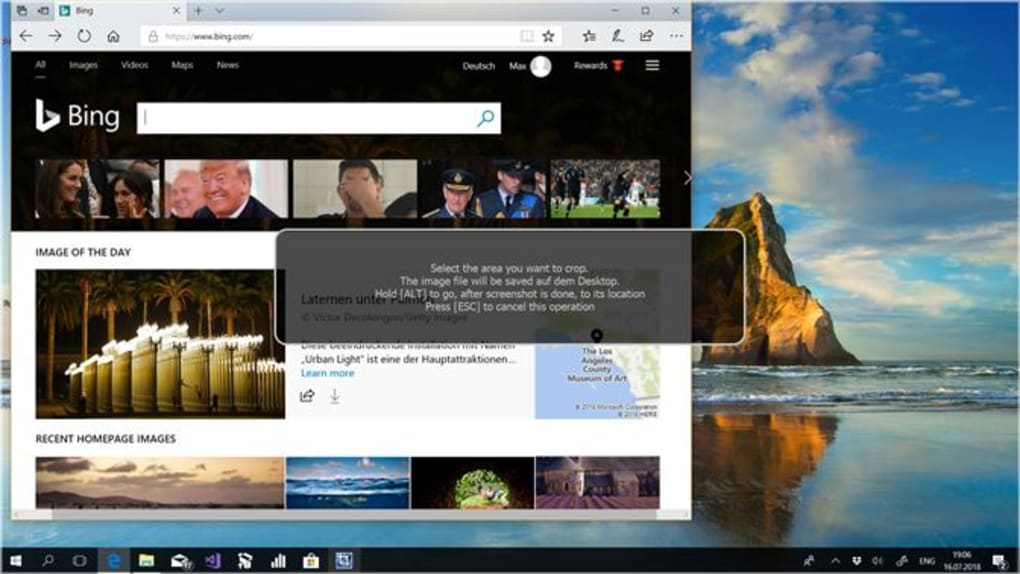
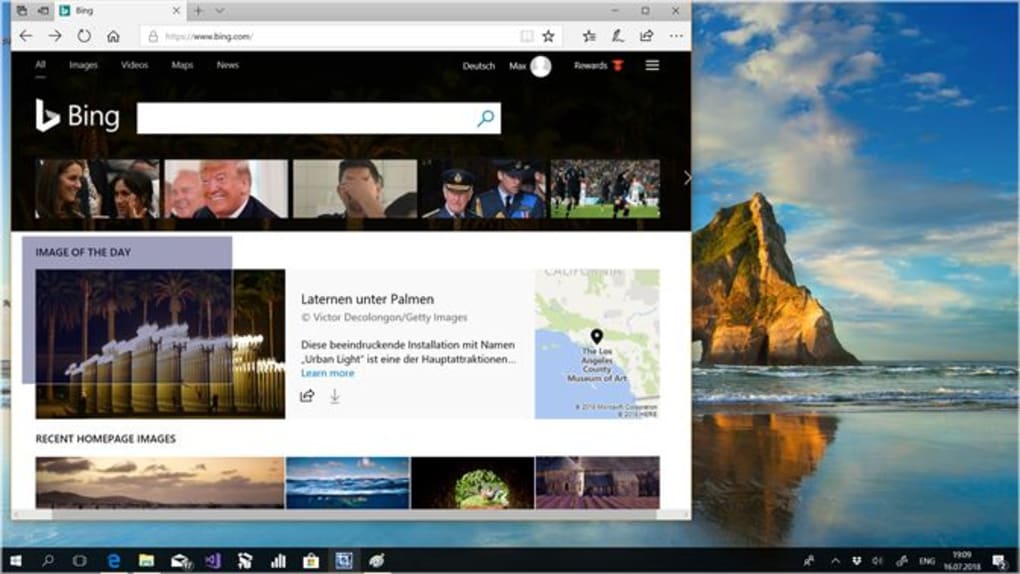
Upon first use, you’ll be prompted to set basic preferences such as default save location, file format, and hotkey assignments. The main window displays a minimal interface with a central capture button and a preview area. To capture a screen region, click the capture button and drag your cursor to select the desired area.
The tool instantly highlights the selection, allowing you to adjust the borders by dragging the handles. Once satisfied, click “Crop” to finalize the image. You can then save it directly to your desired folder or copy it to the clipboard.
For users who want to automate repetitive tasks, the batch processing feature allows you to apply the same crop settings to multiple screenshots at once. The software also includes a built-in image viewer for quick previews before saving. Regular updates are released to maintain compatibility with new Windows updates and improve performance.
All downloads are secure, verified, and free from adware or malware, making Easy Screen Crop a trustworthy choice for everyday use.
Pros & Cons: Is Easy Screen Crop Worth It?
- Pros:
- Lightweight and fast performance, even on older systems
- Simple, intuitive interface with minimal learning curve
- Supports full-screen, window, and custom region captures
- Batch cropping and clipboard integration for efficiency
- Regular updates and secure downloads via trusted platforms
- Cons:
- Only available for Windows (no Mac, Android, or iOS support)
- Free trial version limits full access to some advanced features
- Limited customization options compared to professional tools
- Only available in English
- No built-in annotation or watermarking tools
Frequently Asked Questions (FAQ)
Is Easy Screen Crop free to download?
Yes, Easy Screen Crop is available as a free trial version for Windows. You can download and use the software without cost. However, some advanced features may be locked in the trial, requiring a purchase for full access.
Can I use Easy Screen Crop on Windows 11?
Absolutely. Easy Screen Crop is fully compatible with Windows 10 and Windows 11, ensuring smooth performance on modern systems. It supports high DPI displays and touchscreens.
Does Easy Screen Crop support batch processing?
Yes, the software includes a batch cropping feature that allows you to apply the same crop settings to multiple screenshots at once, saving time for users who process many images.
Is the download safe and secure?
Yes, Easy Screen Crop is available through trusted platforms like Softonic, which scan all files for malware and adware. The download is secure and free from unwanted software.
Can I edit screenshots after cropping?
Easy Screen Crop focuses on capture and cropping. While it doesn’t include advanced editing tools like filters or text overlays, the cropped images can be opened in other image editors for further enhancements.
Final Verdict: A Reliable Choice for Screen Capture on Windows
Easy Screen Crop stands out as a reliable, fast, and secure tool for users who need a no-nonsense screen capture and cropping solution on Windows. Its lightweight design, intuitive interface, and efficient workflow make it ideal for students, professionals, and content creators alike. While it lacks some advanced features found in premium software, its core functionality is executed flawlessly.
The free trial version allows you to test all features before deciding to upgrade, and the secure download process ensures peace of mind. With over 100,000 downloads and consistent updates, this tool has proven its value in the market. If you’re looking for a simple, effective way to capture and crop screenshots without the clutter, Easy Screen Crop is a smart choice.
Download Easy Screen Crop today and experience hassle-free screen editing on your Windows PC.







